F&B Point of Sale — Zeo Pos
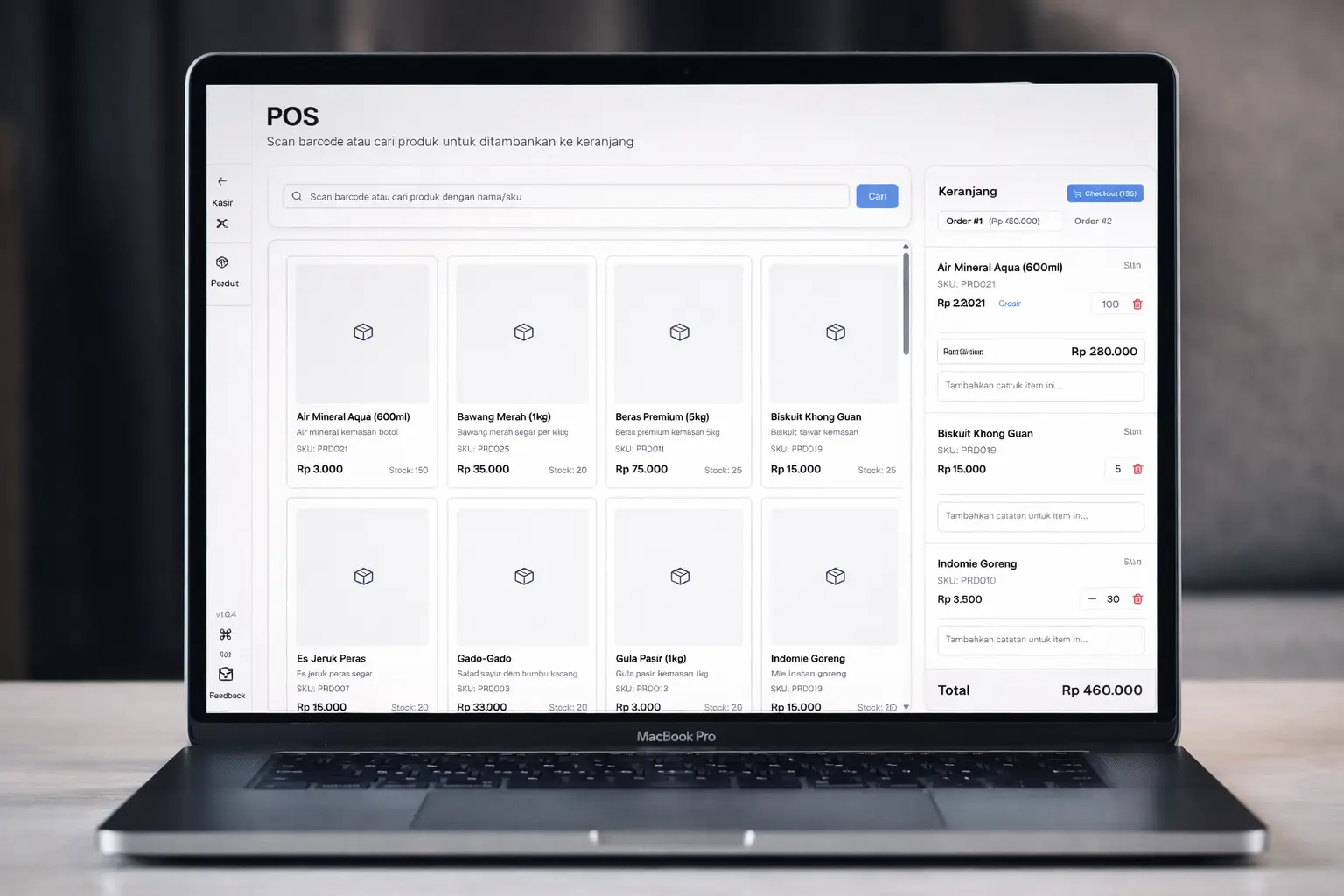
An F&B point of sale with fast menu checkout, receipt printing, live stock, and daily sales reports — built so cafe staff can work smoothly from day one.
Impact
+40%
Checkout speed
Faster average time per transaction after rebuilding the menu checkout flow for lunch and dinner rushes.
99.5%
Stock accuracy
Ingredient and packaged-item inventory stays in sync automatically — no more end-of-day manual reconciliation.
−60%
Daily close time
Daily sales reports are generated automatically the moment a shift closes.
The Challenge
The cafe owner came to us with a familiar but painful problem: checkout queues kept growing during lunch and dinner rushes because the legacy POS was slow to add menu items and would freeze every time the receipt printer was triggered. Ingredient stock was reconciled manually at the end of each day, which led to recurring shortages, and sales reports only became available the following morning — meaning every promo or restock decision was always one day behind.
On top of that, onboarding a new cashier took days because the old interface buried frequently used actions under deeply nested menus. The team needed a POS that was fast, easy enough for new F&B staff to learn in hours, and gave the owner real-time visibility into sales — all without forcing them to buy new hardware.
Our Solution
We rebuilt Zeo Pos as a modern web application with Vite.js + TypeScript + Tailwind CSS that runs comfortably on the laptops already at the counter. The core flow is keyboard-first: selecting a menu item (or scanning a packaged drink) triggers a non-blocking stock check through the API, and receipt printing is handed off to a background worker so the cashier can start the next order immediately.
The first backend ran on Firebase + Cloud Functions. It has since been migrated to Node.js + TypeScript for internal reasons — so the team can deploy, debug, and extend business logic in-house without being tied to Cloud Functions. Stock synchronisation and report aggregation still happen automatically whenever a transaction is committed. The owner sees a live dashboard with daily sales, per-category trends, and a low-stock watchlist for ingredients and menu items. A clean role-based access model keeps the cashier, supervisor, and owner views focused on what each role actually needs — so onboarding a new cashier now takes a few hours, not days.
How We Built It
- Step 1Discover
Cashier workflow workshop
Mapped the cashier, floor, and owner workflows to find the moments that slowed orders down the most during peak hours.
- Step 2Design + Build
Iterative cashier UX
Built a keyboard-first cashier interface optimised for rapid menu selection, with sub-100 ms feedback on every action.
- Step 3Launch + Improve
Pilot in a real outlet
Rolled out to a pilot cafe, monitored performance, then refined the stock and reporting modules based on staff feedback.
- Step 4Migrate
Node.js backend
Moved the API from Firebase Cloud Functions to Node.js + TypeScript for internal reasons — so the team can deploy, debug, and extend the backend in-house.
Tech Stack
Key Features
- Fast menu checkout
- Receipt printing
- Ingredient & menu stock
- Daily sales reporting