- umkm
- seo
- engineering
WhatsApp Conversion Tracking with GA4: Guide for SMEs 2026
A practical WhatsApp conversion tracking guide for SME websites: GA4 and GTM setup, whatsapp_click events, UTM discipline, Google Ads import, and dashboards.
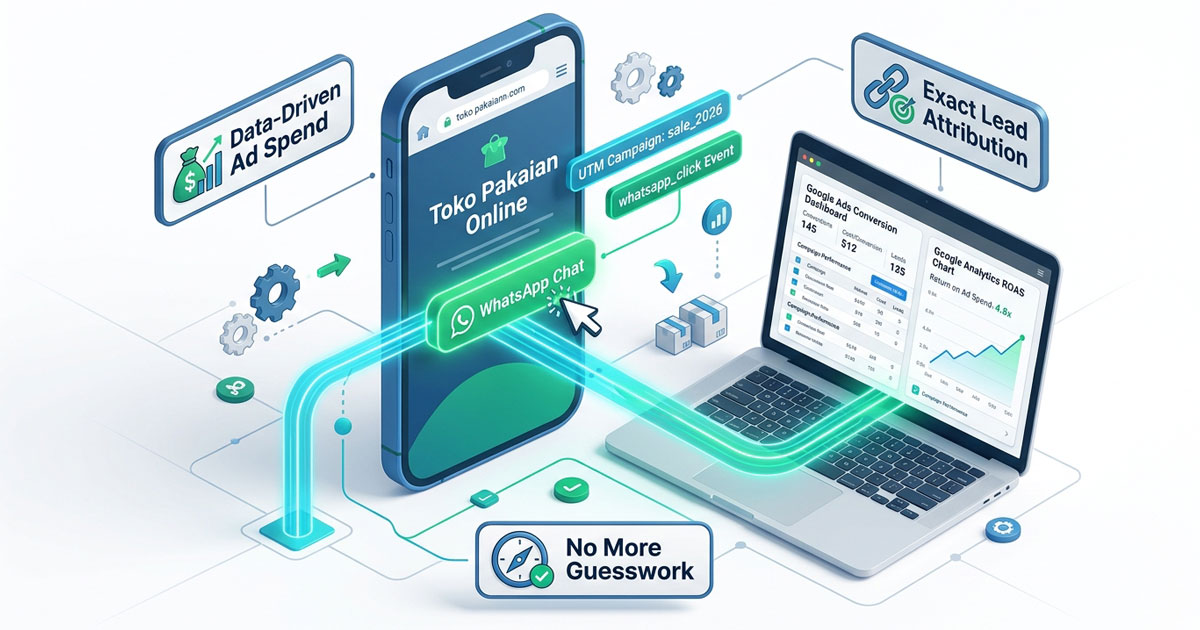
WhatsApp conversion tracking is the layer most Indonesian SME websites are missing: the ads run, the WhatsApp button gets plenty of clicks, but when someone asks which campaign actually produced those chats, the answer is a guess. In a market where deals close in chat, a website without conversion tracking is a cash register without receipts — money arrives, but nobody knows from where. This article covers the layer generic tutorials skip: defining conversions first, building a whatsapp_click event with campaign context, then wiring it into Google Ads and a dashboard you will actually use to move budget.
1. Why Your Real Checkout Happens in WhatsApp
While global marketing playbooks teach you to measure a "purchase" on a checkout page, Indonesian buying behavior works differently. Prospects browse your website, then choose chat over forms: they want to negotiate price, ask about stock, confirm shipping. The result is that most sales close inside WhatsApp — outside your website and outside the data recorded automatically.
That leaks value in three ways:
- Ad attribution breaks. Google Ads and Meta Ads see no conversions at all, so their algorithms optimize without a real sales signal.
- Cost per lead becomes a guess. Without chats per campaign, cost per prospect cannot be computed and budget gets split by feeling.
- Your best pages stay unidentified. You never learn which product pages trigger the most chats, so improvements land at random.
The good news: fixing this requires no paid tooling. GA4, Google Tag Manager, and Google Ads are all free — the expensive part is making decisions without data.
2. Micro vs Macro Conversions: Decide What Counts First
The most expensive tracking mistake is lumping every action into one "conversion". Separate the two layers before touching any setup:
| Layer | Example events | Role in analysis |
|---|---|---|
| Micro-conversion | whatsapp_click, form_submit, phone number clicks | Diagnosis: where the funnel leaks, which pages trigger contact |
| Macro-conversion | purchase with value and currency: IDR, orders confirmed in chat | Budget decisions: revenue per channel, the basis for smart bidding |
The working rule: use micro to diagnose, macro to decide. A WhatsApp click is a strong intent signal, but it is not a sale — some chats never become orders. If your "conversion rate" counts clicks, the number looks healthy without meaning money. For businesses that close in chat, the macro layer can start as a manual habit: record chat-originated sales in your website's order system, then compute value per campaign by hand — an approach like integrating WhatsApp with your order system automates it later.
3. Install GA4 Properly via Google Tag Manager
Many tutorials tell you to paste the GA4 script straight into your theme. It works, but it is fragile: edit the theme twice, two GA4 tags fire, and your reports double-count. A setup that survives maintenance:
- Create a GA4 property for your website domain in Analytics.
- Create one Google Tag Manager container and install only its script on every page.
- Inside GTM, add a Google Tag (GA4) with the Measurement ID from your property.
- Enable Consent Mode v2 in GTM from day one — analytics and advertising run fully only after the user consents, as required by Indonesia's Personal Data Protection Law (UU PDP) and by the European consent policies that apply to your international traffic.
With this pattern, every future event — phone clicks, pricing-page views, QRIS checkout clicks — never requires touching website code again.
4. Capture the whatsapp_click Event with Campaign Context
First standardize how your website opens WhatsApp: one function, one place. A minimal example for Next.js:
export function openWhatsApp(message: string) {
  gtag("event", "whatsapp_click", {
    page_path: window.location.pathname,
    button_text: message,
  });
  window.open(
    `https://wa.me/62812xxxxxxx?text=${encodeURIComponent(message)}`,
    "_blank",
  );
}
If you prefer not to touch code at all, GTM can do it without a developer: create a Click trigger with a condition that Click URL contains wa.me or api.whatsapp.com, then send a whatsapp_click event with page_path taken from GTM's built-in Page Path variable. The tool matters less than two things:
- The event ships with page context — you will know whether a chat came from product page A or the promo page B.
- Event naming stays consistent —
whatsapp_click, not a mix ofklik-wa,wa_click, andwhatsapp. Inconsistent names fragment reports into rows that never add up.
Test immediately after setup: click your own WhatsApp button once, open the Realtime report in GA4, and confirm the event appears with the right parameters. Wrong data is more dangerous than no data, because you will confidently make decisions on numbers that are incorrect.
5. Key Events, Custom Dimensions, and UTM Discipline
Once events flow, three steps make them decision-ready:
- Mark
whatsapp_clickas a key event (Admin → Events in GA4). Since 2024, the term "conversion" became "key event"; new events take up to 24 hours to appear. - Register parameters as custom dimensions (event scope) for
page_pathandbutton_text, so they show up as report columns instead of staying buried in logs. - Enforce UTM naming discipline on every campaign — Instagram bio links, WhatsApp Business broadcasts, Google and Meta ads. Without conventions, traffic lands in the
unassignedbucket and your reports lie.
A convention that is enough for an SME and does not need a ten-page document:
| Parameter | Example values | Rule |
|---|---|---|
utm_source | google, meta, instagram, whatsapp | Platform name, lowercase, no spaces |
utm_medium | cpc, social, broadcast | Channel type, not the campaign name |
utm_campaign | q4-holiday-2026 | One campaign = one slug, used once |
Keep this convention in a spreadsheet and treat it as the single source of truth. Even a CPC versus cpc mismatch splits one report into two meaningless rows.
6. Feeding Google Ads: Import vs Native Conversion Tag
Two routes deliver WhatsApp conversions to Google Ads, and committing to one from the start prevents double counting:
| Aspect | Import key event from GA4 | Google Ads tag in GTM |
|---|---|---|
| Setup | Link the property via Product links, then import whatsapp_click under Goals → Conversions | Add a Google Ads Conversion Tracking tag plus a Conversion Linker |
| Data unity | One source of truth shared with GA4 reports | Separate from GA4, specific to Ads |
| Smart bidding | Supported, with slight delay | Supported, faster signal |
| Best for | Businesses that read all metrics in GA4 | Search campaigns leaning on smart bidding |
Pick one route as your primary conversion; the other can run as an observation-only metric. Once active, the number that changes how you advertise is cost per lead per campaign: ad spend divided by WhatsApp clicks attributed to that campaign. Campaigns with cheap clicks but few chats are usually more expensive than they look.
7. The Dashboard That Answers Budget Questions
A business owner does not need dozens of reports — three questions answered in ten seconds: where do people come from, how many reached out, and what did it cost. Build the dashboard from GA4's built-in reports:
- Traffic acquisition — source and medium per session and per key event.
- Pages and screens — which pages produce the most chats; optimize those first, not the busiest ones.
- Key events per campaign — while ads run, compare cost per lead across campaigns.
Ignore the flattering metrics: total pageviews without context, likes, and social impressions. They are not customers until they chat. A weekly rhythm is enough: open the dashboard once a week, note the campaign with the worst cost per lead, and decide one change — pause it, shift budget, or fix its landing page.
8. Data Quality, Consent, and Common Tracking Mistakes
Before trusting any number, lock down reliability:
- Consent under UU PDP. A consent banner is not decoration: analytics defaults to off and only activates after approval. This also protects your Google Ads account from policy rejections.
- Validate routinely. After any website change, click the WhatsApp button once more and check Realtime. Theme updates frequently move buttons and silently break triggers.
- Do not mark 90% scroll as a conversion. That is engagement diagnostics, not a money signal. Mixing it with
whatsapp_clickmakes your conversion rate meaningless. - Mind the visitors who decline. With consent denied, part of your traffic is untracked — that is normal. What is not normal is making decisions as if the numbers covered everyone.
The most common mistake we find when auditing SME websites is not a broken tag, but three different definitions of a conversion used by three people on the same team. One small spreadsheet that writes down "what counts as a conversion in this business" ends that debate permanently.
Conclusion
WhatsApp conversion tracking turns an SME website from a brochure into an instrument for decisions: every chat can be traced back to its campaign, page, and cost. The sequence is simple — separate micro and macro conversions, install GA4 through GTM with consent, send whatsapp_click with campaign context, mark it as a key event, enforce UTM discipline, choose one route into Google Ads, then open a three-metric dashboard every week. The tools are free; what you are really buying is the habit of reading data before moving budget.
If you want this whole chain installed at once — GA4, WhatsApp events, UU PDP consent, and a dashboard shaped around how your business actually works — start a conversation with us at Zero Args Technology. We help SMEs across Nganjuk and Indonesia build websites that are not just busy, but measurable.
Frequently asked questions
Can a WhatsApp click be counted as a conversion in GA4?
Yes. Capture button clicks as a whatsapp_click event through Google Tag Manager, then mark it as a key event in GA4. The event appears in the Events report within roughly 24 hours of being sent.
Do I need Google Tag Manager, or can I paste the gtag snippet directly?
Google Tag Manager is the better choice because one container handles your GA4 tag, the WhatsApp trigger, and your Google Ads tag without repeated website code changes. Manual pasting is prone to duplicated hits.
Does WhatsApp tracking require user consent?
Yes. Because cookies and device identifiers power analytics and advertising, you need a consent banner compliant with Indonesia's Personal Data Protection Law (UU PDP) before GA4 and Google Ads fire, with limited modes when users decline.
How much does WhatsApp lead tracking setup cost?
The tools are free because GA4, GTM, and Google Ads only charge for your ad spend. The real cost is setup time and maintaining your data conventions, or a one-off fee if you hand it to a web development service.